You run the business on your own. You're the IT department, the compliance team and the person your clients trust with their contracts, accounts and plans. You use AI tools most days, for research, drafting and tidying up notes. And sooner or later a client asks the question you haven't quite answered for yourself: "What happens to our data when you work on it?"
"Governance" sounds like something for companies with a department for it. At your size it's much smaller, and most of it costs nothing but an afternoon.
What governance means for one person
Governance means knowing exactly who and what can reach your clients' data, and being able to show what happened to it. For one person, that comes down to three questions:
- Which of your tools touch client data?
- On what terms do those tools handle it?
- What have you told your clients?
If you can answer all three on one page, you're ahead of many much larger businesses. The five steps below get you there.
Step 1: write down your tools
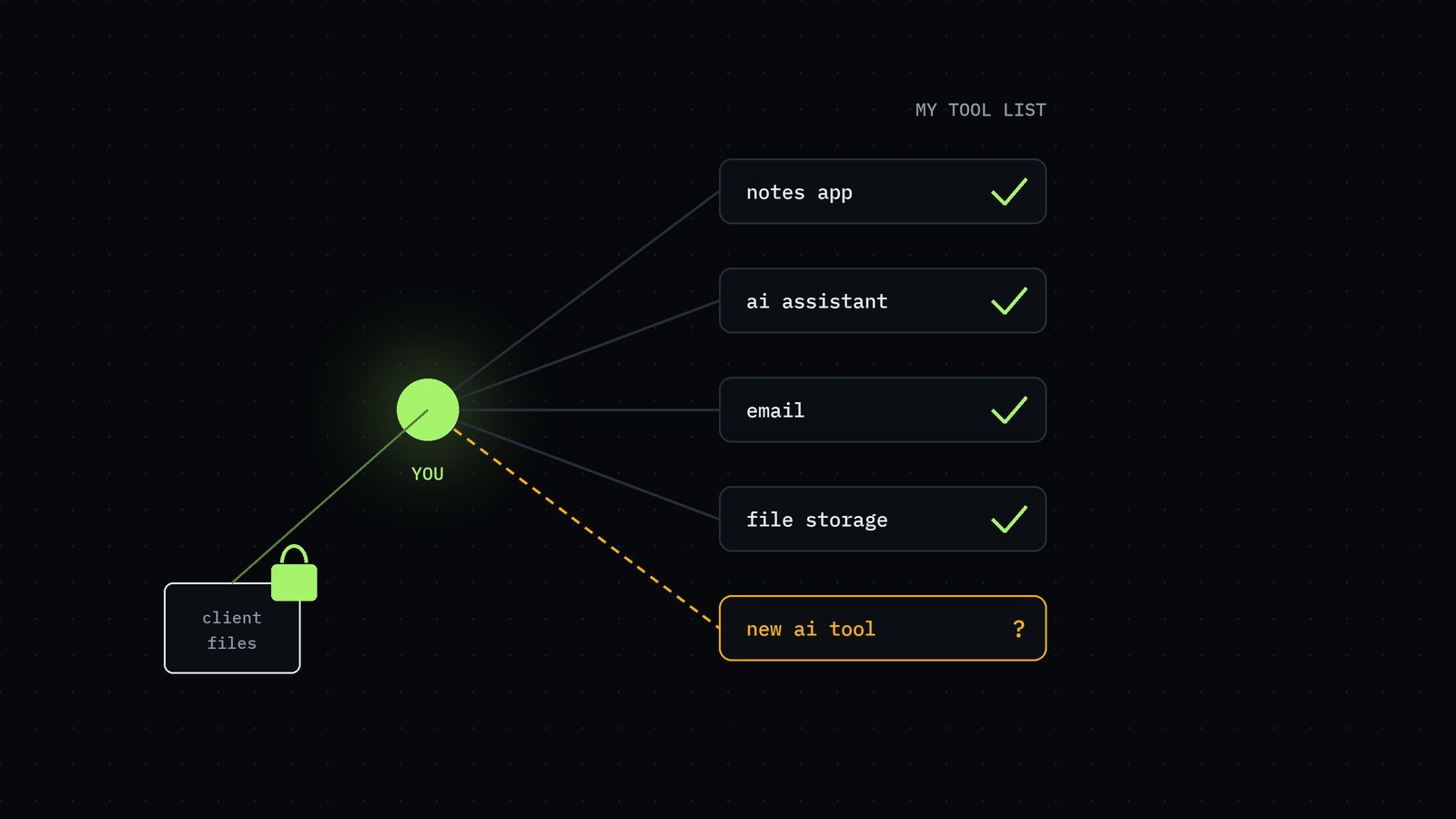
Make a one-page list of every tool you use for client work: your email, file storage, notes app, accounting software, video calls and every AI tool, including the ones you only use now and then. For each one, write:
- What client data goes into it: names, documents, figures, recordings.
- Personal or business account. Business accounts usually come with clearer terms and more controls.
- Whether it may use your content to train its models. Check its settings first, then its terms. If you can't tell, write "unknown". That's useful information too.
- Who else could reach it: anyone you've shared a folder with, a former collaborator, a family member on the same device.
That page is your map. It's also the first thing to show if a client asks.
Step 2: switch on the settings you already have
Most of the protection you need is already in the tools you pay for, switched off or left on its default. Names and menus differ from tool to tool, so treat this as a checklist to look for, not a set of exact instructions:
- Two-step sign-in (a code from your phone as well as a password) on every account that holds client data, starting with email, because email can reset everything else.
- A password manager, so every account has its own long password.
- Business or workspace accounts for client work where you have the choice, rather than personal ones.
- Model training switched off in AI tools that let you opt out of your content being used to train them.
- Shorter history or retention in AI tools that let you choose how long conversations are kept.
- Private by default for shared links and folders, so nothing is open to "anyone with the link" unless you mean it to be.
- Screen lock and disk encryption on your laptop and phone, so a lost device isn't a lost client file.
Note each change on your one-page list as you make it.
Step 3: keep a record of which AI tools see which client data
Add a second, small table: client, tool, kind of data, date, and when it was deleted. It takes a minute per piece of work, and it's how you show what happened to the data rather than just saying it.
Pair it with a simple three-level rule:
- Public information (anything already on the client's website): any tool on your list.
- Internal working notes: tools on your list, with business accounts.
- Confidential client data (contracts, finances, personal details): only tools you've checked in Step 1, or with names and identifying details replaced by codes first.
The codes trick is worth knowing. Replace "Acme Ltd" with "Client A" and people's names with initials before anything goes into an AI tool, and keep the key yourself. Most of the time the work comes out just as well.
Step 4: tell your clients, in plain words
Clients don't expect a one-person business to have a security department. They do expect honesty. Add one short paragraph to your proposal or engagement letter. Something like:
"I use AI tools to help with research and drafting. I only put your information into tools I have checked, using business accounts with model training switched off where the tool allows it. I ask you first before using any confidential material, and I replace names with codes where I can. When our work ends, I delete your files on request and confirm that I have done so."
Only write what you actually do. A shorter promise you keep is worth more than a long one you don't.
Step 5: keep it current
Fifteen minutes once a month is enough: add any new tool to the list and check its settings, remove tools you've stopped using, and at the end of each piece of work, delete the client's files and note the date in your record. Anything new, especially a new AI tool, goes on the list before client data goes into it.
What it costs and how long it takes
Mostly time. Our estimate is about half a day to set up, most of it spent on Steps 1 and 2, and around fifteen minutes a month after that. Nearly everything above is in tools you already pay for. The one thing you might add is a password manager, if you don't have one.
What it won't do
This kit isn't legal advice and it isn't a certification. Which laws apply depends on where you work and where your clients are, and a client in a regulated industry may ask for more. What it does give you is a true answer when someone asks how you handle their data, and a written record that backs it up. For a one-person business, that's most of what governance is for.
Sources
- No statistics are used in this article. The definition of governance is our own, from our data and AI governance page, roughdigits.com/governance.html. The settings in Step 2 are general; names and menus differ from tool to tool.